CORE FEATURES ARE FREE
- Compare files and folders
- Edit selected changes in two-way comparison
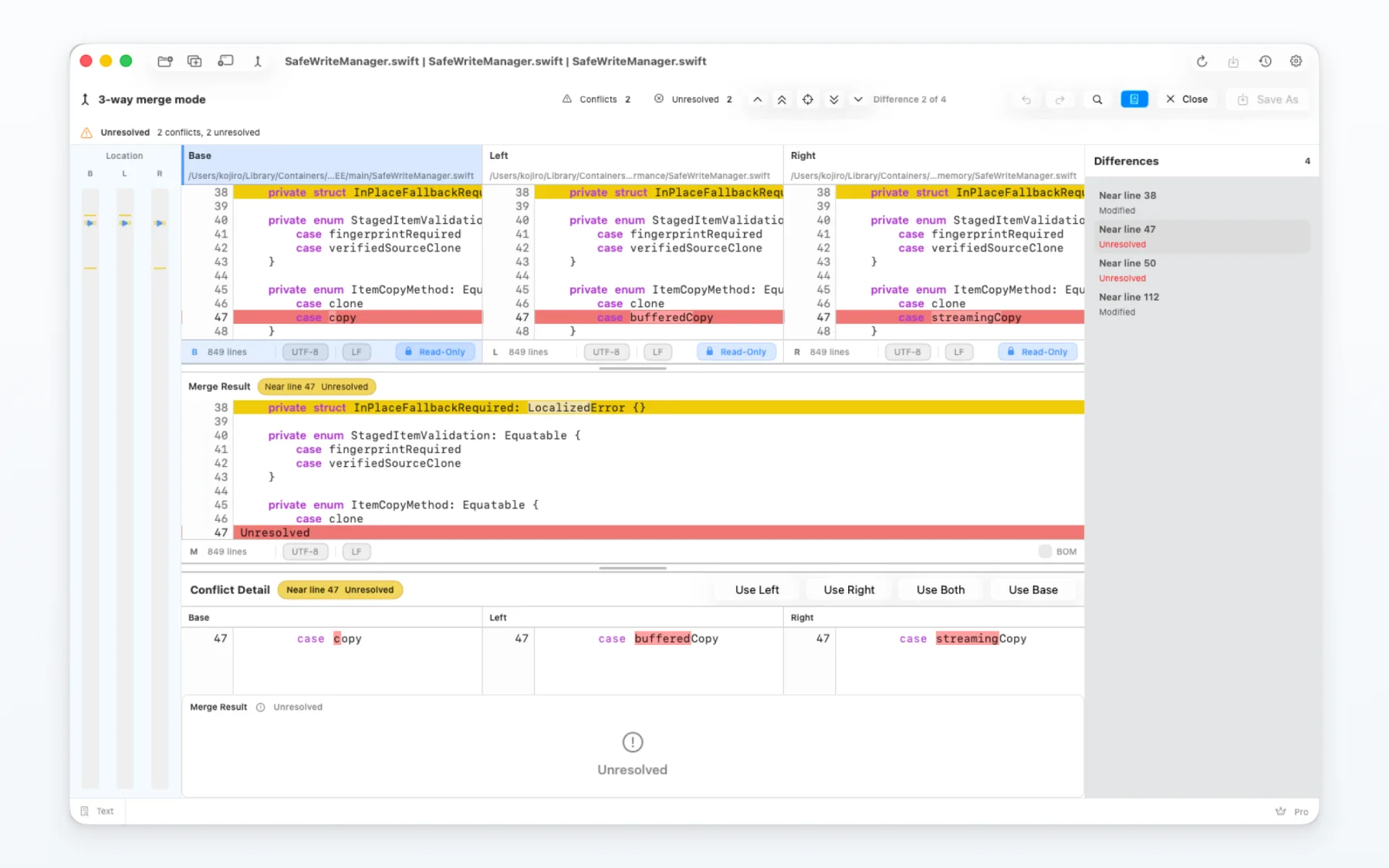
- Work through a three-way merge
CORE FEATURES ARE FREE
Compare files and folders, inspect differences and work through three-way merges on Mac. MergeDock keeps core comparison work free, with an optional one-time Pro upgrade for additional features.
Core features are free to use. Pro is an optional one-time upgrade. Requires macOS 26 or later.
Comparison guides
A diff tool is most useful when its view matches the material in front of you. Use side-by-side comparison for two files, three-way merge for a BASE, LOCAL and REMOTE decision, folder comparison for many items, and image comparison when pixels matter.
Basic file and folder comparison, two-way editing and three-way merge are free to use. A comparison only shows the differences until you choose a change or save a result.
Folder Sync preview is free. Pro unlocks execution of the sync plan and advanced image views.
| Your task | View or integration | What you can do in MergeDock |
|---|---|---|
| Review changes in code or configuration | Two-way text comparison | Inspect differences, apply selected edits and save. Free. |
| Resolve text conflicts | Three-way text merge | Compare base, left and right; edit and save the merge result. Free. |
| Review or update two folders | Folder comparison and sync | Compare and copy selected items for free. Execute a sync plan with Pro. |
| Check visual changes in screenshots | Image comparison | Side-by-side is free. Overlay, slider, blink and difference views require Pro. |
| Inspect non-text files | Binary comparison | Review byte differences in a dedicated binary view. |
| Open Git changes or conflicts | Git difftool / mergetool | Configure Git integration, open a comparison and save a merge result before returning to Git. |
MergeDock may fit when you want one native Mac workspace for text, folders, images and binary files, with free core comparison and merge work.
Yes. Configure MergeDock as Git’s external difftool or mergetool. Difftool opens a comparison; mergetool opens a merge session. Save the merge result before completing the session and returning to Git. The Git guide covers setup and the file-access permissions required on macOS.
Basic file and folder comparison, two-way editing and three-way merge are free. Additional features, including running Folder Sync and advanced image comparison, require Pro.
Running Folder Sync and advanced image comparison require Pro. Pro is an optional one-time in-app upgrade; check the in-app purchase screen for current pricing in your region.